
Writing the order
- With a paper book
- The waiter writes in a notebook, the paper gets lost and a dish is forgotten.
- In the system
- The table opens on screen and the dish goes to the kitchen as its own ticket.
For teahouses, restaurants and cafés: waiter, kitchen, till and stock
Catering accounting is a system for teahouses, restaurants and cafés. One organisation can hold several outlets, each with its own menu, floor, terminals and till. The chain is simple: the waiter opens a table, adds dishes and sends them to the kitchen, the cook marks them ready, the waiter issues the bill and the cashier takes the payment. Every important action goes into the journal — who, when and from which terminal. Staff work on the terminal with their own PIN, while the owner sees everything from the panel in a browser.
Signing up is free and takes a few minutes. There is no SMS to wait for — the number is confirmed through Telegram.
Open https://obshipit-hisob-e31da280a7aa.herokuapp.com/register and choose Confirm through Telegram. In the bot that opens you press Start and Send number.
Back on the site you enter your name, the organisation and first outlet names, and a password. The 14 free days start here.
Your PIN for terminals is shown once — write it down straight away.
You can start from the sample menu and then adjust dishes and prices. Add rooms and tables — table numbering continues by itself.
You give each member of staff a role, and the system creates the PIN. On the terminal they work with that PIN only.
In Terminals you add a terminal and get an 8-character code that is valid for 24 hours. You type the code on the terminal itself.
Install the program below on a POS machine and the terminal opens full screen.
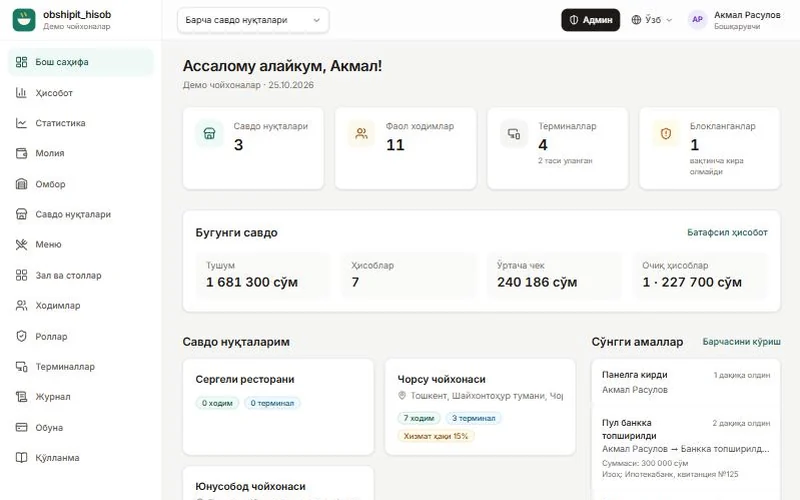
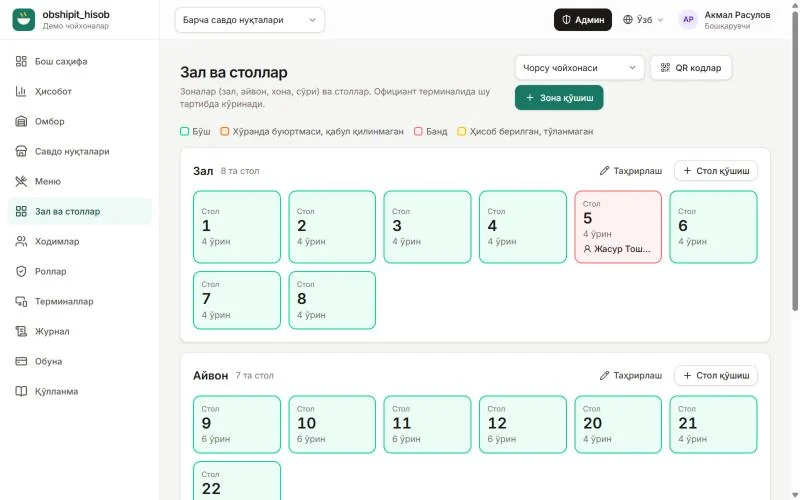
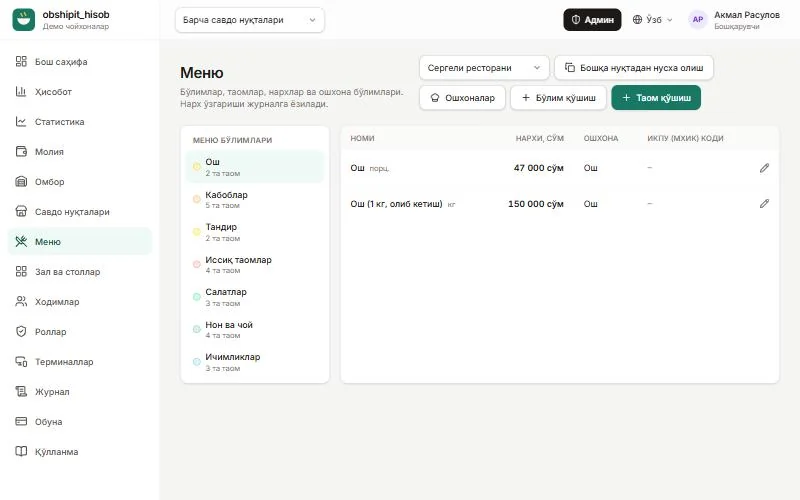
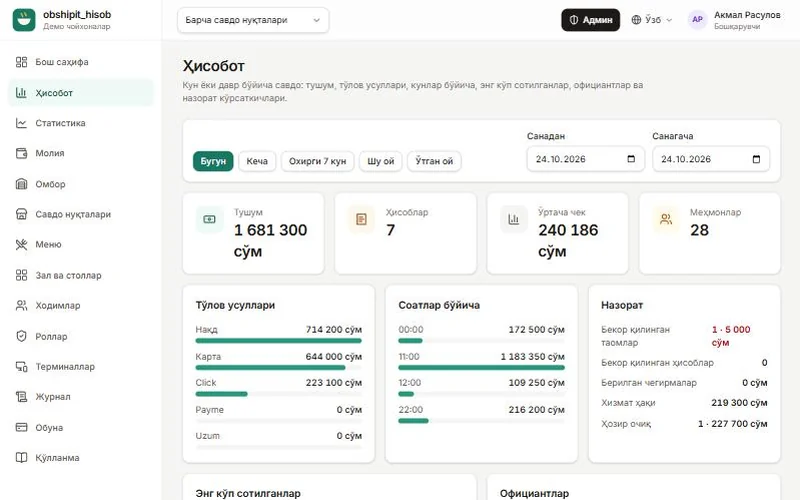
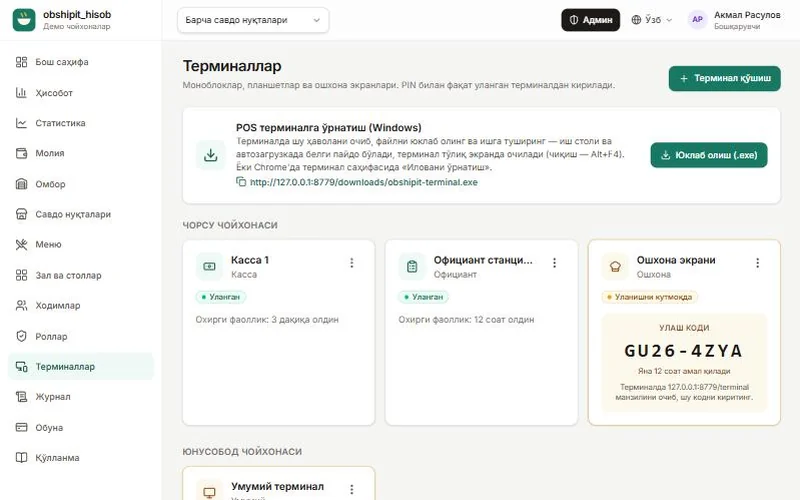
It installs on a POS machine or an ordinary computer. On a tablet or phone the terminal also runs in the browser.
The terminal interface itself lives on the site — this small program opens it in Edge or Chrome, full screen and without an address bar. On first run it puts an icon on the desktop and in startup and opens the browser in its own profile, so the terminal's connection code is kept. Receipts print without a dialog. The program never needs updating — when the system is updated the terminal picks up the new version by itself. Exit with Alt+F4.
Windows · Edge or Chrome · the printer must be the Windows default (58 mm paper) · 11 KB · version 1.1.0.0
DownloadThe file is not code-signed, so Windows may show a SmartScreen warning: “More info” → “Run anyway”.